Automate your pipeline, personalize your outreach, and close more deals with Zapier sales automation.
Key Takeaways:
- Zapier sales automation transforms time-consuming manual tasks, like logging emails, updating CRMs, or sending follow-ups, into seamless, automated workflows. This frees up sales teams to focus on revenue-generating activities, improves response times, and ensures no lead slips through the cracks.
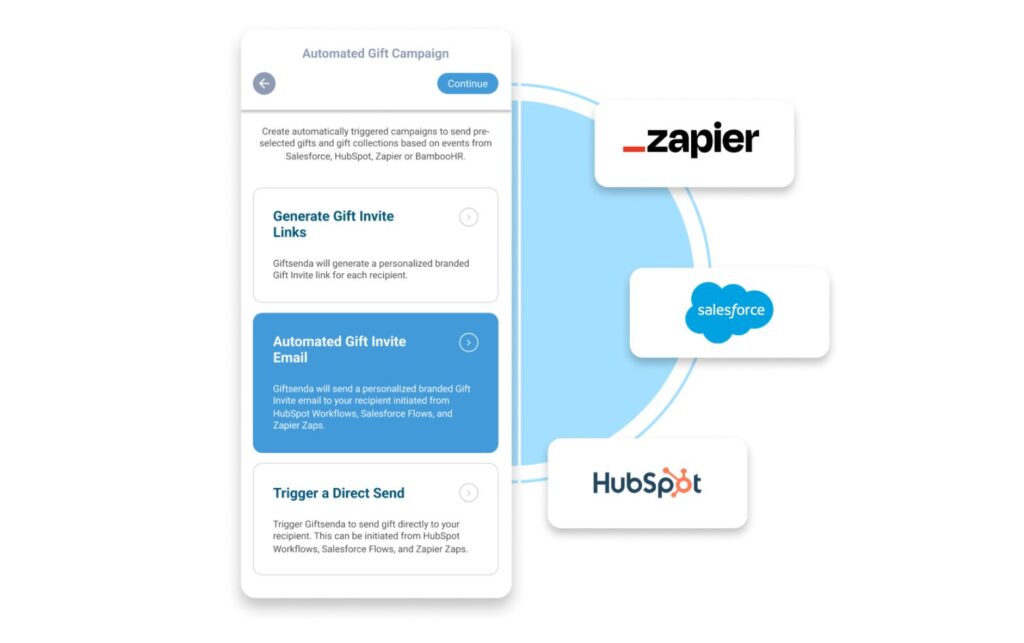
- From automating post-demo emails to sending strategic gifts through platforms, like Giftsenda, Zapier enables reps to deliver consistent, human-centric experiences without manual effort. Personalized, automated touchpoints help nurture relationships and drive conversions, especially at critical deal stages.
- By connecting your CRM, email, calendar, project management, and enrichment tools, Zapier creates a unified sales ecosystem that scales with your team. Whether you’re logging closed deals in Google Sheets or enriching leads with LinkedIn data, Zapier enables smarter decisions through real-time visibility and reporting.
Sales today is a high-speed, high-stakes game. You’re juggling emails, calls, CRM updates, follow-ups, and coordination across tools and time zones. The last thing you need is more admin. That’s where Zapier does what it does best; connecting your favorite apps to create seamless workflows (Zaps) that handle the busywork for you.
In this blog we’re looking at 10 powerful Zapier sales automation hacks, complete with descriptive Zaps, to help you sell smarter and scale your success.
Why You Should Include Zapier Sales Automation in Your Strategy
Zapier sales automation gives sales teams a powerful strategic advantage by transforming disconnected tools into a synchronized, automated workflow, without the need for coding or IT support. Instead of wasting time on repetitive admin-like logging activities, updating CRM fields, or sending follow-up emails, reps can focus on high-impact work: building relationships, personalizing outreach, and closing deals. In fact, 74% of sales professionals who use AI believe that AI and automation tools will significantly transform the way they work.

By automating critical but time-consuming tasks, Zapier not only speeds up the sales cycle but ensures consistency in lead handling and customer communication. In essence, Zapier sales automation creates a more agile, data-driven operation that responds faster, scales smarter, and essentially wins more business with less effort.
10 Hacks to Make Streamline Sales
Capture Leads Instantly from Web Forms to Your CRM
A delayed CRM update could mean a lost opportunity or a cold lead. And for a salesperson, that’s the difference between closing a deal or missing quota. With sales workflow automation, you can automatically send lead information from tools, like Typeform or Google Forms, straight into your CRM (HubSpot, Salesforce, Pipedrive, or others) within seconds of form submission.
Not only does this keep your pipeline clean and up-to-date, but it also enables instant follow-ups. Add in a second step to assign the lead to a rep or notify your sales team in Slack, and you’ve got a fully automated lead capture and response system.
The Problem: Manually transferring web form submissions into your CRM leads to delays; and potentially lost leads.
The Hack: Create a Zap that sends lead data from a web form directly into your CRM, assigns it to a rep, and notifies your team instantly.
Zap Example:
- Trigger: New submission in Typeform.
- Action 1: Create a new contact in HubSpot (or Salesforce, Pipedrive, etc.).
- Action 2: Assign to a specific pipeline stage.
- Action 3: Send Slack notification to your #sales-leads channel.
- Why It Works: CRM automation tools, like this, ensure no lead is missed, response times are lightning-fast, and reps can act while interest is high.
Send Automatic Follow-Up Emails After a Demo or Meeting
We all know fortune is in the follow-up, but remembering to send personalized emails after every call can be inconsistent at best. Zapier sales automation connects your calendar tool, like Calendly or Google Calendar, with your email platform. When a meeting ends, automatically send a templated (but personalized) email thanking the prospect, sharing relevant resources, or summarizing the next steps.
This keeps your follow-up cadence tight and timely, increasing your chances of moving deals forward, especially when juggling multiple conversations at once.
The Problem: Forgetting to follow up, or doing it late, can stall deals.
The Hack: Use Zapier to trigger a personalized follow-up email automatically after a Calendly event or meeting ends.
Zap Example:
- Trigger: Event ends in Calendly.
- Action 1: Send a Gmail email with custom content (“Thanks for the call! Here’s our pricing guide”).
- Optional: Add event data to a Google Sheet for tracking.
- Why It Works: Consistency in follow-ups helps you stand out and moves prospects through the pipeline faster.
Broadcast Sales Updates in Slack to Keep the Team Aligned
Sales is a team sport. Keeping your broader team in the loop on pipeline progress helps maintain momentum, boost morale, and celebrate wins. Use Zapier sales automation to a designated Slack channel whenever a deal is created, moved to a new stage, or closed.
For example, a “Deal Won” alert with the client name, value, and sales rep not only celebrates the win but helps your customer success team prepare for onboarding. It’s a lightweight way to drive alignment across departments.
The Problem: Sales updates get lost in inboxes, creating silos.
The Hack: Automatically post key CRM activity into a team Slack channel so everyone stays aligned.
Zap Example:
- Trigger: New deal stage change in Pipedrive.
- Action: Send a Slack message to #sales-updates with deal name, stage, and value.
- Why It Works: Promotes transparency, boosts morale, and keeps cross-functional teams (like CS and marketing) informed.
Automatically Log Emails and Calls into Your CRM
Sales reps can spend hours each week logging communications into CRMs. With Zapier, your team can automate this admin work. Connect your email client (Gmail or Outlook) or your VoIP/call platform (like Aircall or JustCall) to your CRM, so when an email is sent or a call ends, Zapier logs it as an activity in the contact or deal record.
This ensures nothing slips through the cracks and that every touchpoint is recorded accurately, which is great for pipeline hygiene and reporting.
The Problem: Logging calls and emails is time-consuming and easy to forget.
The Hack: Log every customer interaction into your CRM automatically.
Zap Example:
- Trigger: New email sent via Gmail with specific label (e.g., “Sales Follow-Up”).
- Action: Create an activity in Salesforce tied to that contact.
Alternate Zap:
- Trigger: Completed call in Aircall.
- Action: Log call in HubSpot under the corresponding contact.
- Why It Works: Keeps your CRM clean and complete; without any manual effort.
Trigger a Gift When Deals Move to a Key Stage
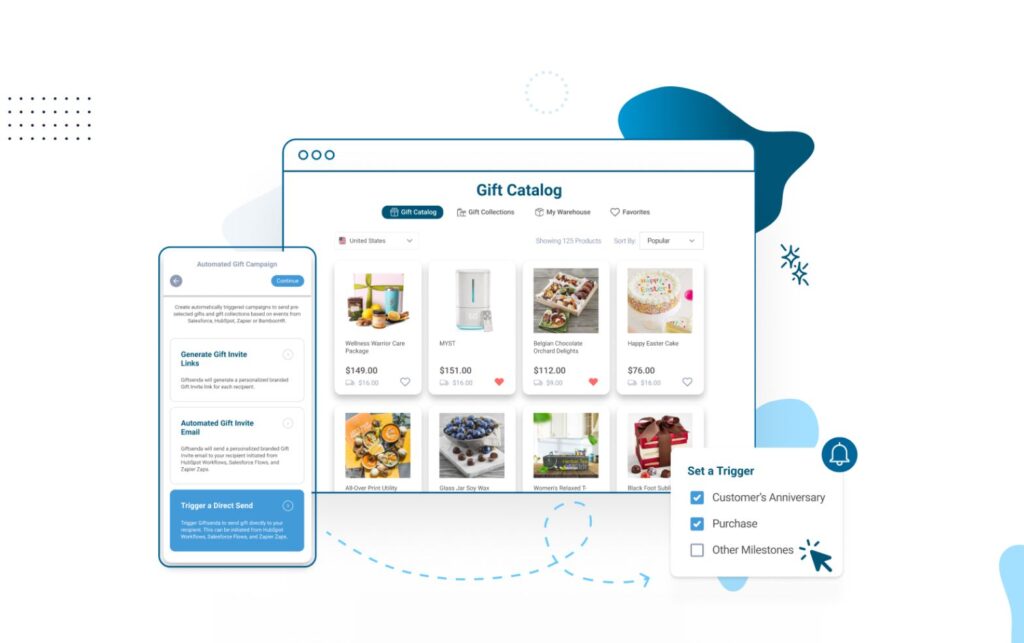
If your team is looking to stand out during the proposal or negotiation stage, this hack is right up their alley. A small, timely gift can do wonders. With a Zap that connects your CRM to a gifting platform, like Giftsenda, you can automatically send a branded item or thoughtful treat when a deal moves to a specific stage (like “Proposal Sent”).
These gestures not only differentiate your brand but also humanize the sales process. Your brand stays top of mind and shows appreciation, all without lifting a finger.
The Problem: Sales often forget to add a human touch during critical deal phases.
The Hack: Automatically send a gift when a deal moves into a high-intent stage.
Zap Example:
- Trigger: Deal stage changes to “Proposal Sent” in Salesforce.
- Action: Send a gift via Giftsenda (e.g., a shareable giveaway link for coffee, branded swag, or a thank-you gift).
- Why It Works: Timely gifting increases goodwill, boosts conversion rates, and makes you unforgettable.
Create Follow-Up Tasks in Trello or Asana for New Deals
One of the many talents of a salesperson is often coordination. Whether it’s scheduling a technical review, creating an onboarding checklist, or assigning a follow-up call, staying organized is key. With Zapier, you can automatically create new tasks or cards in Trello, Asana, or ClickUp whenever a new deal is added or updated in your CRM.
This ensures nothing falls through the cracks and helps you collaborate better with cross-functional teams.
The Problem: Deal progress doesn’t always sync with operational workflows.
The Hack: Automatically create follow-up tasks in your project management tool when deals are added or moved.
Zap Example:
- Trigger: New deal in Pipedrive.
- Action: Create a card in Trello labeled “Client Pre-Onboarding” in a dedicated board.
- Optional: Assign tasks to specific teammates or add due dates.
- Why It Works: Keeps internal teams (like implementation or sales ops) aligned and proactive.
Get SMS Alerts for High-Value or Time-Sensitive Leads
Sometimes email notifications aren’t fast enough. Zapier allows you to set up SMS alerts through Twilio or another SMS tool to get instant texts when a lead fills out a specific form, schedules a call, or enters a “hot lead” list.
It’s perfect for on-the-go sales reps or execs who want to jump in when big deals come in because response speed can often be the difference between winning and losing.
The Problem: You can’t afford to miss a hot lead, but email alerts are easy to overlook.
The Hack: Receive instant SMS messages when high-priority leads take action.
Zap Example:
- Trigger: New Typeform submission with budget > $10,000.
- Action: Send SMS via Twilio: “High-value lead submitted a form: [Name] – Check CRM!”.
- Why It Works: Speeds up response time and allows for instant action when big deals come in.
Enrich Leads Automatically with LinkedIn
Cold outreach works better when you have context. With tools, like Clearbit, Hunter.io, or even LinkedIn data, you can automatically enrich your CRM contacts with job titles, company info, and social profiles. Zapier can pull this information in as soon as a new contact is added.
The result is more personalized outreach, better segmentation, and smarter targeting (minus the hours spent on research!)
The Problem: You lack context for personalization in outreach.
The Hack: Use Zapier to trigger data enrichment using tools like Clearbit or LinkedIn.
Zap Example:
- Trigger: New contact added to HubSpot.
- Action: Enrich contact via Clearbit API.
- Optional: Add LinkedIn URL and company details to the contact profile.
- Why It Works: Gives you instant context, like company size, job title, and industry; so your messaging hits the mark.
Score and Prioritize Leads Using Survey or Engagement Data
Not all leads are created equal, and with these Zapier sales workflow hacks, you can make sure your hottest leads rise to the top. Connect tools, like Intercom, or email marketing platforms (like Mailchimp or ActiveCampaign) to your CRM and automatically update lead scores based on behaviors, answers, or engagement.
For example, if a prospect opens emails, books a demo, and selects a large budget in your questionnaire, they can be flagged as high priority instantly; triggering faster follow-up and personalized outreach.
The Problem: You’re treating all leads equally, even though some are more ready to buy.
The Hack: Score or tag leads based on behaviors like survey answers or email activity.
Zap Example:
- Trigger: New response in Typeform with “Timeline: Ready to Buy Now”.
- Action 1: Update lead score in ActiveCampaign.
- Action 2: Move deal to “Hot Lead” pipeline in CRM.
- Why It Works: Helps reps focus energy where it counts, and automates intelligent lead qualification.
Log Closed Deals in Google Sheets or Airtable for Reporting
While your CRM is your central source of truth, sometimes you need quick access to closed deal data for reporting, commissions, or custom dashboards. Sales process automation creates a live-updating Google Sheet or Airtable base that logs every deal marked as “Closed Won,” including deal value, rep name, close date, and industry.
No more exporting CSVs or chasing down data before meetings. You’ll have real-time insights always ready at your fingertips.
The Problem: Leadership wants reports. You want to avoid pulling data manually.
The Hack: Create a dynamic deal log in Google Sheets or Airtable every time a deal is closed.
Zap Example:
- Trigger: Deal marked “Closed Won” in HubSpot.
- Action: Add row in Google Sheets with deal name, rep, value, and close date.
- Why It Works: Makes reporting, forecasting, and tracking effortless and shareable.
Giftsenda + Zapier: Automation at its Best
Zapier is not only about convenience; it’s your virtual sales assistant to keep your operations running smoothly, and when paired with platforms, like Giftsenda, it becomes a powerful tool for creating seamless, personalized sales experiences.
By integrating your CRM, email, calendar, and gifting workflows, you eliminate busywork, automate timely follow-ups, and add meaningful touchpoints that keep your pipeline moving with impact and precision.
You don’t need to build all 10 Zaps at once. Start with the CRM integration tricks that solve your biggest friction points; like automating demo follow-ups or triggering a Giftsenda gift when a deal advances, then scale as you grow. The goal is simple: less admin, more human connection, and more closed deals.